
Streamlining sales workflows into a unified system
Transformed a rigid contract process into a centralized, scalable system across multiple phases of the sales pipeline.
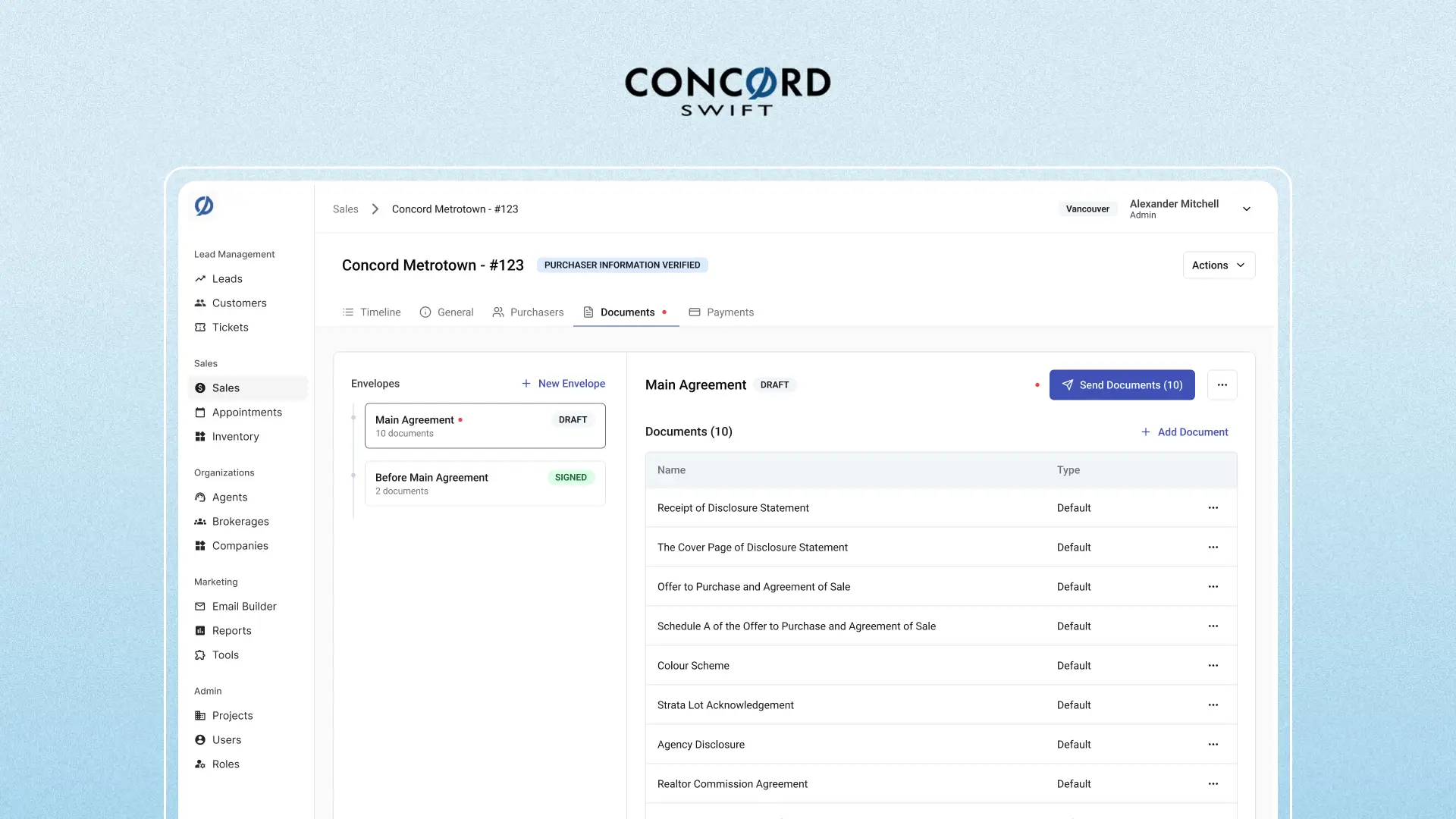
SWIFT is an internal CRM platform used by sales and marketing teams to manage leads, track buyer interactions, and facilitate the end-to-end sales process across multiple property projects.
How might we enable scalable document workflows without increasing complexity for sales teams?
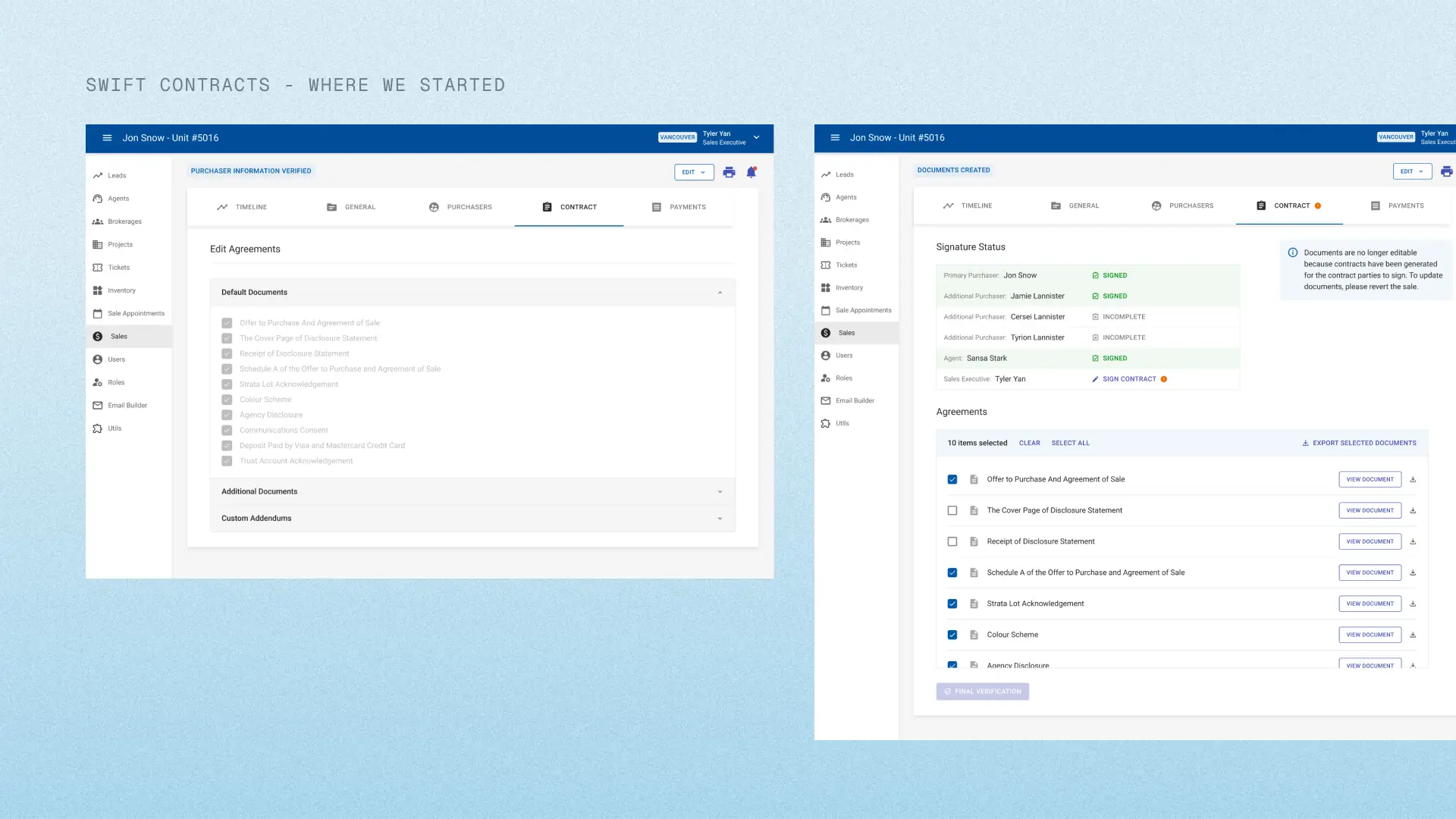
SWIFT’s existing sales flow was designed to send all documents at once during the contract stage. However, new provincial regulations introduced a critical constraint:
Buyers must sign a consent document before entering the sales process. This created a mismatch within SWIFT as the real-world process now required multiple, time-sensitive document stages.
Key Challenges:
- Regulations in real estate are always evolving per province
- Sales teams were creating workarounds via DocuSign or paper documents
- Existing backend architecture includes a rigid state machine, which introduced technical constraints
This was risky because using SWIFT for document signing is no longer valid. The current document signing flow had gaps in compliance, which resulted in fragmented document tracking.
Initial Insights
Understanding user behaviour
Through calls with stakeholders and clients, we uncovered that:
- Sales teams were creating workarounds via DocuSign, manual PDFs or paper documents
- Documents were scattered across platforms
- There was no single source of truth per lead
The problem wasn't just sending documents, it was centralization and trust in SWIFT.
Leveraging familiar mental models
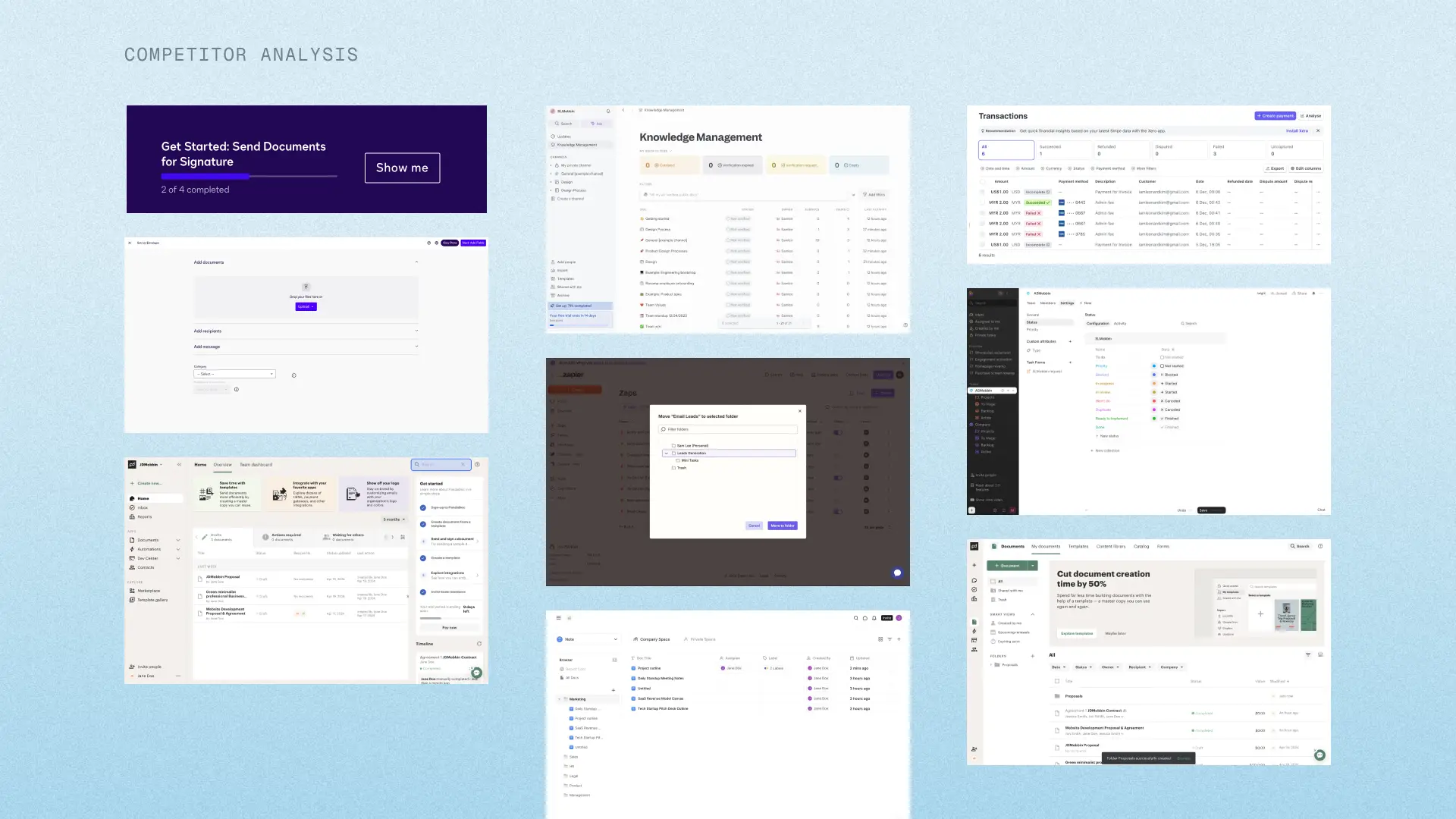
Since users were already comfortable with tools like DocuSign, I used these tools as interaction baselines to reduce learning friction. I also explored existing patterns via Mobbin to understand document status tracking, sending flows and envelope grouping.
Aligning with engineering early
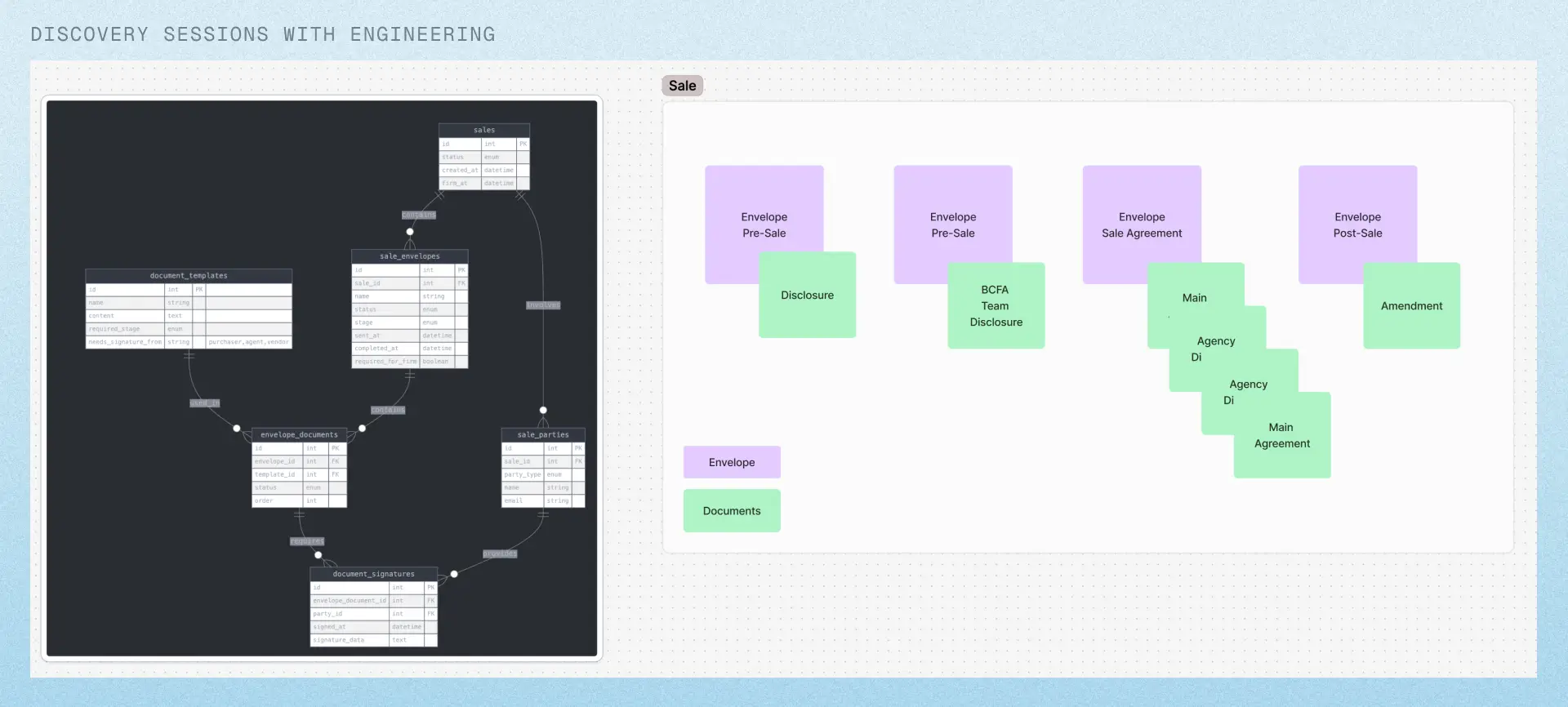
Instead of waiting for finalized requirements, I worked closely with my project manager and backend developer to shape the solution. In the backend architecture, we introduced the concept of envelopes which allowed documents to be sent at different stages in the sales flow. This allowed us to shift the documents process from a linear flow into a modular system.
Types of Envelopes:
- Pre-Sale - Used before the main agreement
- Main Agreement - Includes all documents as part of the main agreement
- Standalone Documents - Individual documents that can be sent at any time of the sales process
Defining the UX strategy
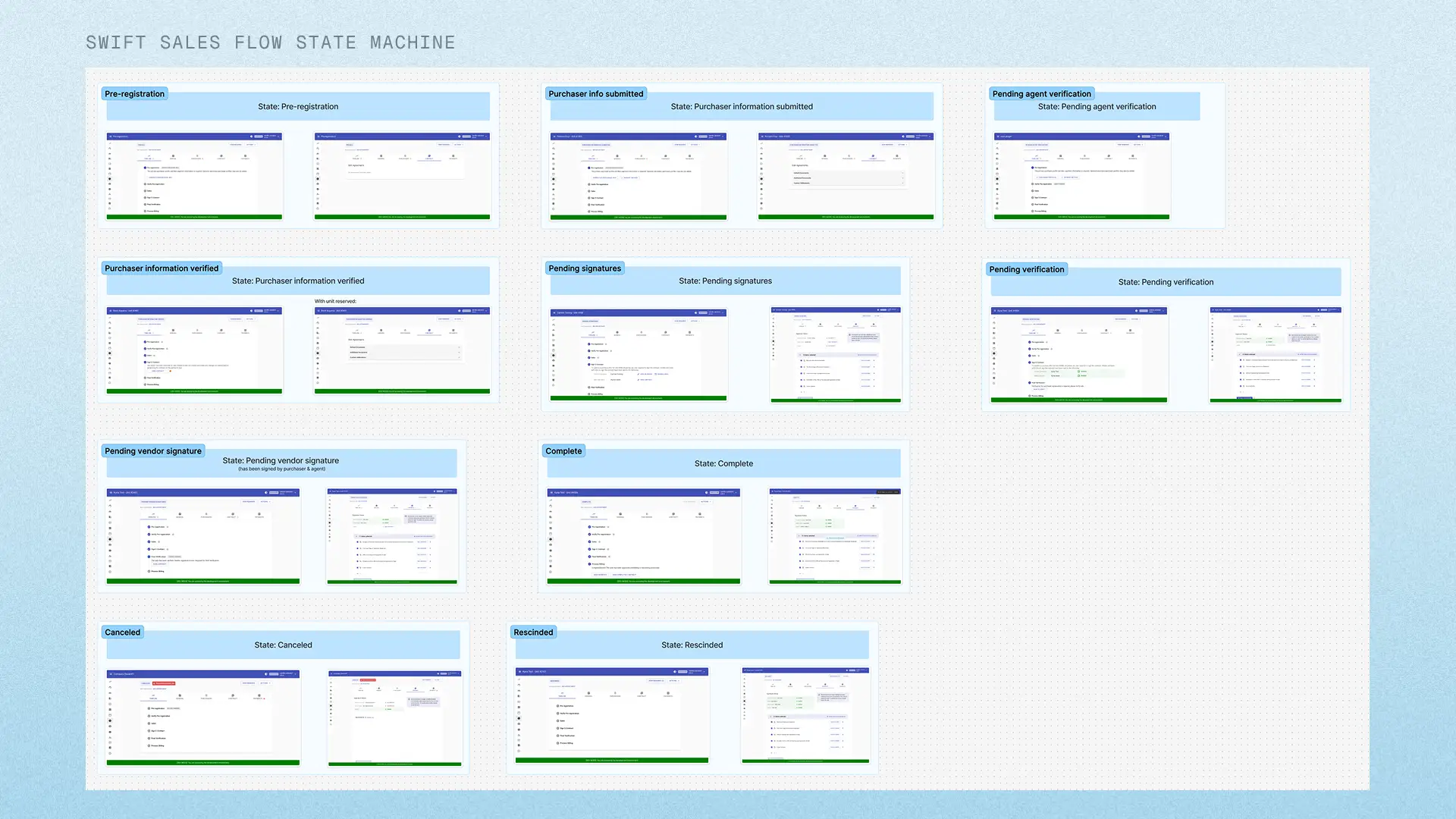
At this stage, ambiguity was still high. Since backend architecture was being defined in parallel, I needed to create clarity. To move forward, I mapped out a comprehensive state machine for the sales process—defining how documents, envelopes, and user actions interact across different stages. I created flows that outlined all possible states (e.g., draft, sent, viewed, signed) and cases, ensuring both design and engineering had a shared understanding before proceeding.
For the high-fidelity designs, focused on:
- Designing for flexibility
- Reducing cognitive load for sales agents
- Mirroring real-world workflows without becoming too rigid
- Relying on constant communication with PM and BE
Iterative Design
Phase 1: Initial Direction
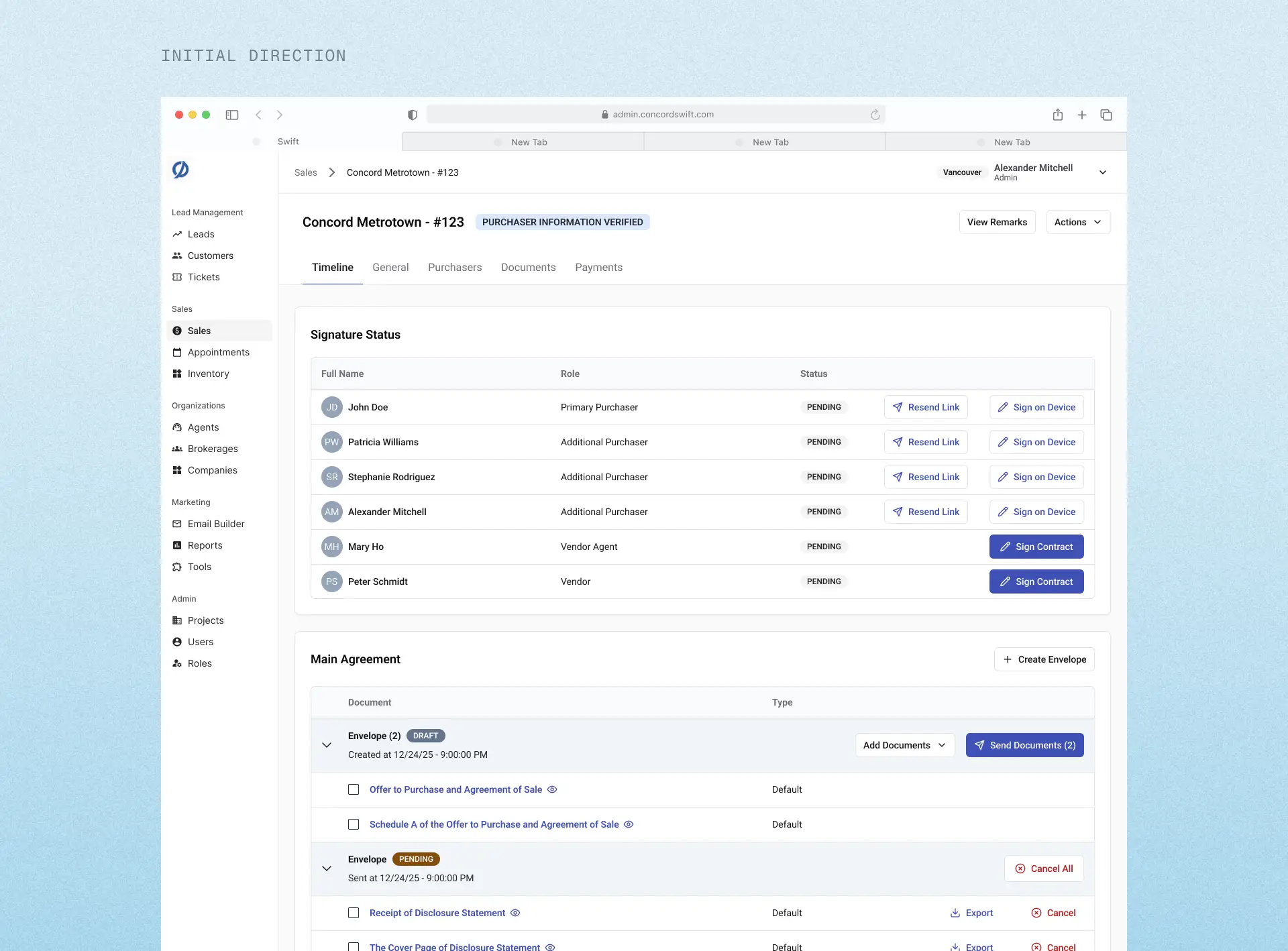
The first solution used an accordion-based layout that grouped documents by stage and allowed progressive disclosure. Although the team was aligned on it, I still had a sense of doubt that this was the best solution. To me, it still felt cluttered and hard to scan.
Phase 2: Pushing beyond the "good enough" solution
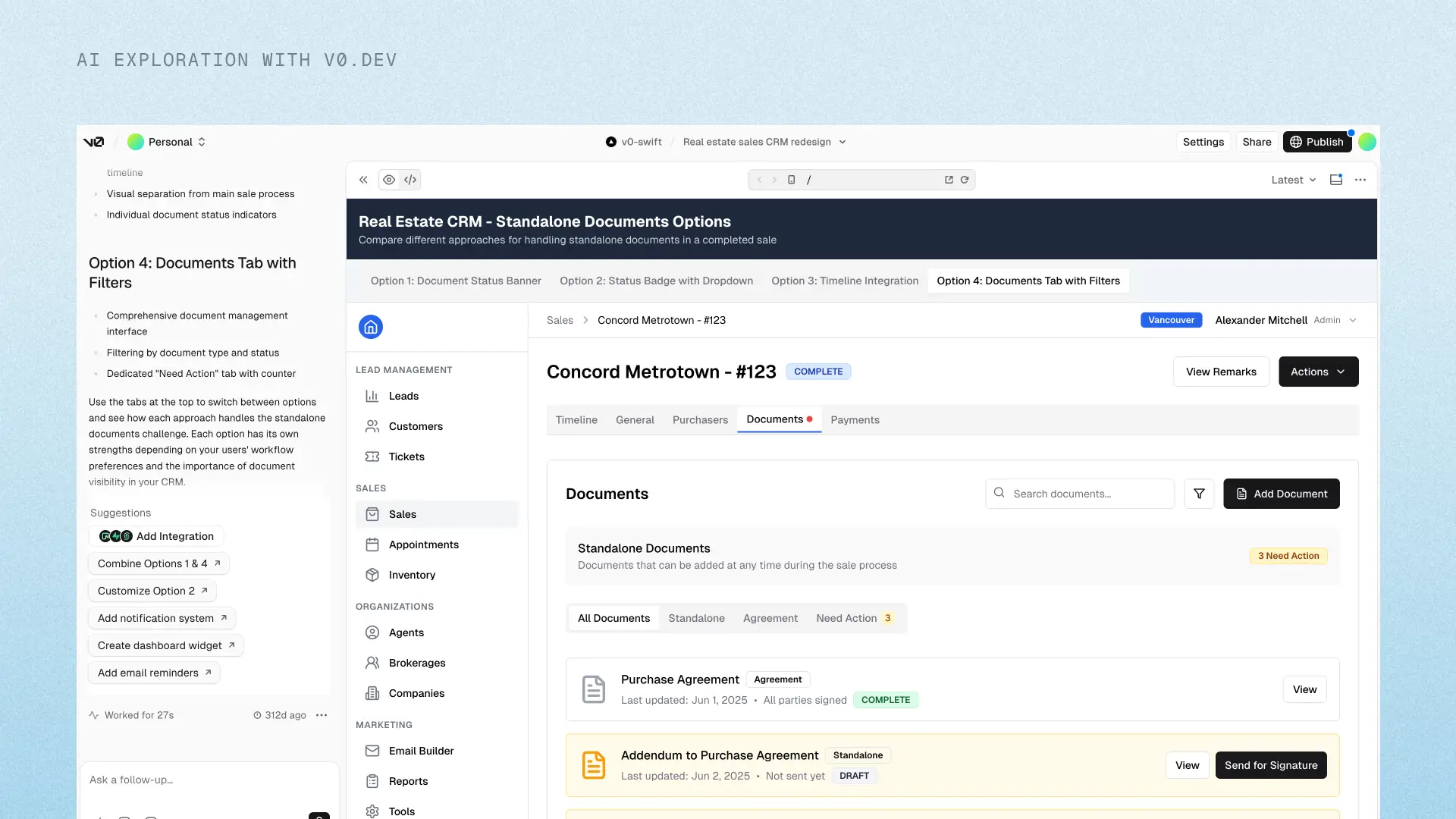
Even late in the process, I explored alternatives using AI tools like v0.dev to gain a new perspective. I quickly generated and tested new layout directions, which led to a crucial pivot.
Final Direction: Separate Tables by Envelope Type
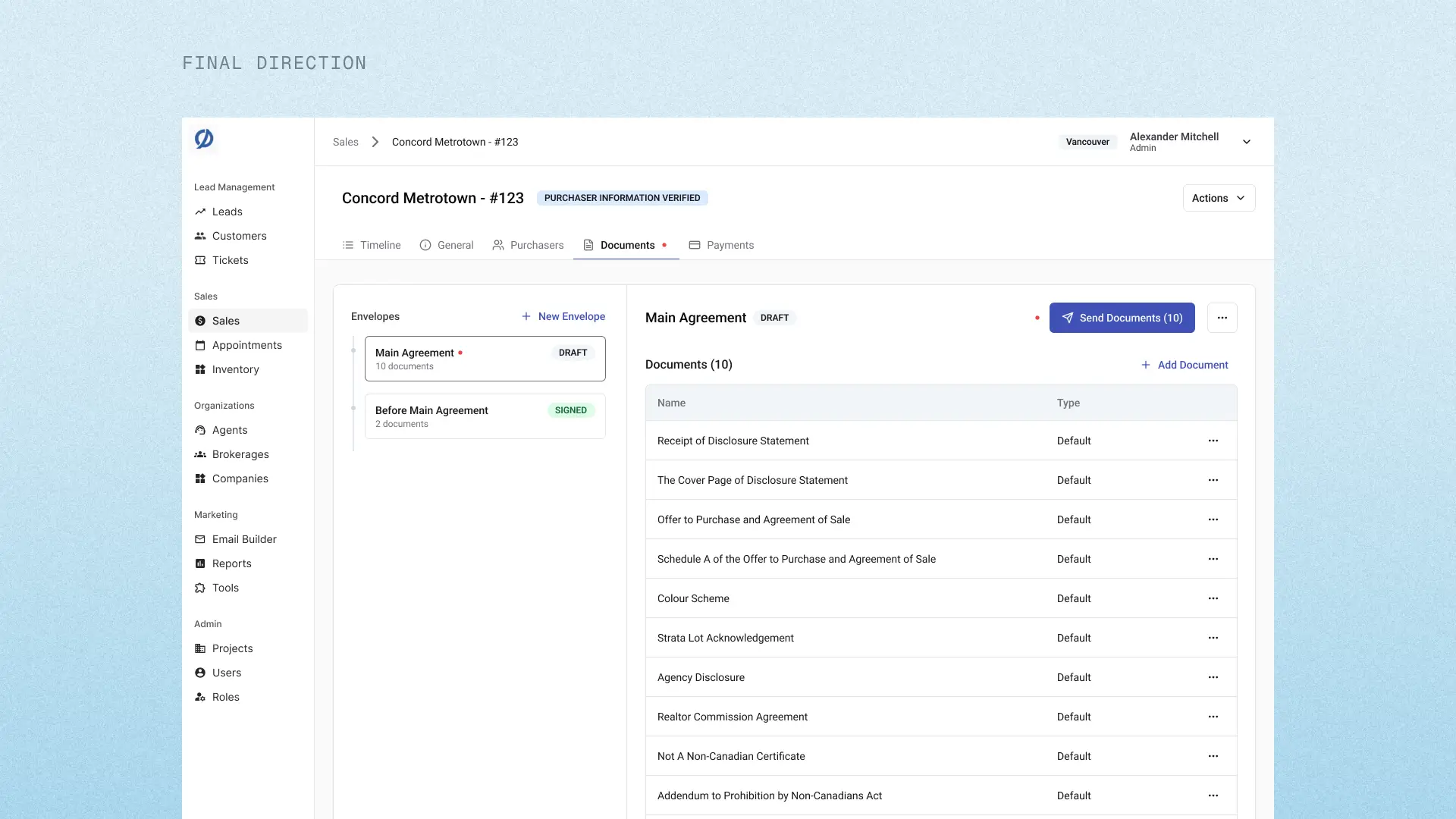
Instead of one complex structure, we split the experience into clear, distinct sections.
Why it worked:
- Reduced visual clutter
- Made document stages immediately understandable
- Scaled naturally with the new backend model
- Improved scanability and task completion speed
Validating the direction
While development was ongoing for other components, I built quick prototypes in v0.dev and ran usability sessions with clients that tested both directions (accordion vs separate tables).
Key Findings
Users preferred separated tables for clarity and navigation
Users struggled to understand document grouping in the accordion layout
Clear labelling of "Before Main Agreement", "Main Agreement" and "Standalone" reduced confusion
Users commented higher confidence in knowing what to send and when
75% of users completed the updated flow without assistance
Impact & Reflections
Impact
- Centralized documents within SWIFT per lead
- Reduced reliance on external tools like DocuSign
- Improved internal alignment between product, design and engineering
- SWIFT is now compliant to sales regulations and is scalable
Adoption
To drive adoption, we offered a lunch & learn at the client's office in Vancouver to provide a walkthrough of the new flow with all sales teams. We gathered live feedback and answered common questions.
Key Learnings
- Don't settle for alignment too early.
Even if the team agrees, it doesn't mean it's the best solution. Pushing for better led to a significantly improved outcome. - Don't wait for full requirements.
By collaborating with engineering early, we helped define a flexible backend model, not just UI. - Reduce ambiguity by creating artifacts.
When requirements are unclear: prototype early, test early and let user feedback guide decisions. - Familiarity accelerates adoption
Grounding the experience in known tools (like DocuSign) reduced the learning curve significantly.